


PPSSPP - PSP emulator
4.430.19K Reviews
App Specs
- Version
- v1.20.4
- Updated On
- License
- Free
- Downloads
- 100,000,000+
- Developer
- Henrik Rydgård
- Categories
- Action
- Platform
- Android, iOS
Screenshots
 Analysis by AppCompare
If you've ever been hit by a wave of nostalgia for the golden days of gaming, then you're in luck. Let me introduce you to PPSSPP - PSP emulator. I recently took this app for a spin on my phone, and trust me, it’s a game-changer for anyone longing to relive those classic PSP moments. So, grab a comfy seat, and let’s dive into this fantastic emulator.
Why Choose PPSSPP?
First things first, why would you want to use an emulator like PPSSPP? Well, it’s all about bringing the PSP experience to your smartphone or tablet. Whether you’re on Android or iOS, this app lets you play your favorite PSP games anywhere, anytime. It’s like carrying your PSP in your pocket without the extra bulk.
Installation is a breeze. I found it pretty straightforward—just a quick download from the app store, a couple of taps, and voilà, I was ready to go. The app itself is surprisingly lightweight, so it doesn’t hog your device's resources, which is a big plus.
Game Compatibility and Performance
Now, let’s talk about what really matters: game compatibility. Can it run your beloved titles? From my experience, the answer is a resounding yes. I tried out a handful of classics like "God of War" and "Final Fantasy," and they ran smoothly with only minor tweaks needed in the settings.
Speaking of settings, the app gives you a ton of options to enhance performance. You can adjust graphics settings, control schemes, and even save states. The ability to customize the experience to your liking is a big win in my book. Plus, it supports external controllers, which made me feel like I was back in the early 2000s, button-mashing my way through epic battles.
User Interface and Experience
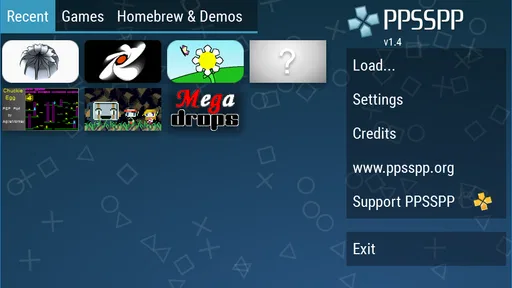
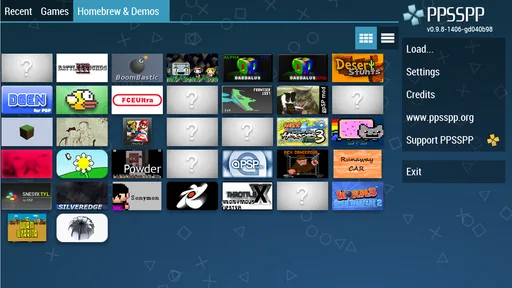
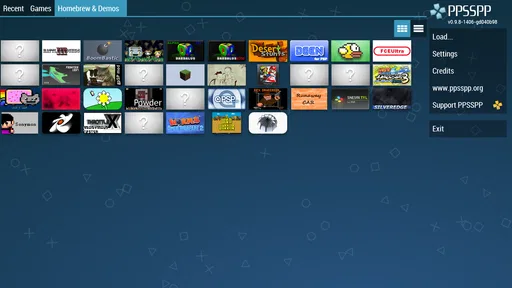
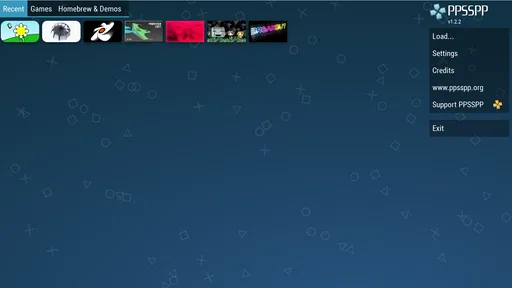
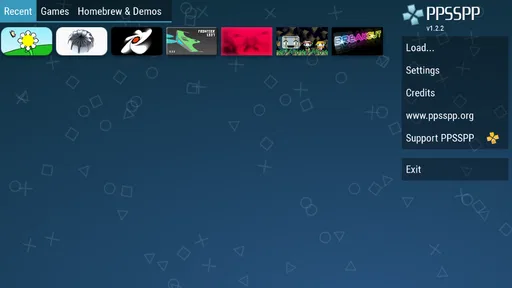
The user interface is clean and intuitive. The developers clearly focused on making the app user-friendly. Even if you’re not tech-savvy, you’ll find it easy to navigate. The menu is straightforward, and setting up your games is as simple as following a few prompts.
One thing I particularly love is the save state feature. You can save your progress at any point, which is a lifesaver during those nerve-wracking boss fights. No more losing progress just because your commute ends or your lunch break is over.
Worth Reading Before You Choose

Switching to Android Auto Means Rethinking Your Driving Routine

Google Calendar Makes a Crowded Week Easier to Manage

Baby Panda World Brings Quick Play to Modern Phones, but Its Game Library Feels Busy

ESPN’s Live Game View Makes Following Close Games Easier

QuizzLand Review: A Good Fit for Short Trivia Breaks, Not Every Player

Basketball Stars: Multiplayer Is Fast, but Can It Recover When Matches Go Wrong?
Graphics and Sound
Graphics-wise, PPSSPP does a stellar job. You can upscale textures and enjoy your games in HD, which is a significant upgrade from the original PSP graphics. The clarity and detail are impressive, making those old games look better than ever.
The sound quality is equally good. I didn’t notice any audio lag or distortion; the music and sound effects were crisp and clear. It’s these little details that make the gaming experience so immersive.
Final Thoughts
All in all, if you're a fan of PSP games, the PPSSPP - PSP emulator is a must-have app. It’s user-friendly, performs well, and lets you enjoy your favorite games with enhanced graphics and sound. Plus, the nostalgia factor is off the charts!
So, whether you’re reliving your childhood or discovering PSP classics for the first time, this emulator has got you covered. Ready to dive into some epic gaming sessions? You can download it from the app store and start enjoying PSP games on your smartphone today. Trust me, your inner gamer will thank you.
Pros
- High compatibility with PSP games.
- Easy-to-use interface.
- Customizable controls and settings.
- Supports HD graphics enhancement.
- Free version available.
Cons
- Requires a powerful device for smooth performance.
- Some games may have minor glitches.
- Ads in the free version can be intrusive.
- Not all games run at full speed.
- Audio can be inconsistent in some titles.
FAQs for PPSSPP - PSP emulator
What is PPSSPP and what platforms does it support?
PPSSPP is a PSP emulator that allows users to play PSP games on their Android, iOS, Windows, macOS, and Linux devices. It replicates the functions of the PSP console to provide a seamless gaming experience across different platforms, offering users the flexibility to play their favorite PSP games on the go.
Is PPSSPP legal and safe to use?
Yes, PPSSPP is legal to use as an emulator. However, users must own the original PSP games to legally play them on the emulator. The software itself is safe, but downloading games from unauthorized sources can be illegal and may pose security risks. Always use legitimate sources for your game files.
What are the system requirements for running PPSSPP smoothly?
To run PPSSPP smoothly, you'll need a device with decent processing power. For Android, a device with at least a quad-core CPU and 2GB of RAM is recommended. On PCs, a dual-core processor and 2GB of RAM are sufficient. Ensure your device has enough storage space for game files as well.
Can I customize the controls in PPSSPP?
Yes, PPSSPP allows users to fully customize controller settings. You can map buttons to your preference, adjust touch screen controls for mobile devices, and even use external controllers for a more traditional gaming experience. This flexibility enhances gameplay and caters to individual preferences.
Does PPSSPP support multiplayer gaming?
PPSSPP does support local multiplayer gaming via Wi-Fi. However, setting it up can be complex and may require additional configuration. Online multiplayer is not officially supported, but there are community-driven workarounds. Always check compatibility and follow guides to ensure a smooth experience.


